Release Notes
Stay up to date with all of 2X Solutions' newest features and improvements. 10.17.25 Improved Account Security with Multi-Factor Authentication (MFA) We’ve added Multi-Factor Authentication (MFA) to…

Stay up to date with all of 2X Solutions' newest features and improvements.
10.17.25
Improved Account Security with Multi-Factor Authentication (MFA)
We’ve added Multi-Factor Authentication (MFA) to give your account an extra layer of protection. Now, when you log in or reset your password, you’ll be asked to verify your identity using a one-time SMS code.
You can easily set up and manage MFA from your account settings. Admins and company users also each have dedicated setup pages for a smoother 2X experience.
Phone Number Registration Form
We’ve introduced a phone number registration process to make company verification smoother and more secure. Companies are now required to complete a simple phone registration form, including the option to upload a screenshot for verification.
Once registered, your company will be marked as compliant automatically — ensuring uninterrupted access to schedules and API functions.
Inbound Agent Call Enhancements
We’ve upgraded our inbound calling system to give teams more flexibility and smarter handling of incoming calls. Inbound agents — the automated or live agents that answer and manage incoming calls from leads or customers — can now transfer calls, handle after-hours settings, and use custom AI and speech models for improved accuracy. We’ve also enhanced lead matching, allowed paused leads to call in, improved message handling for unknown callers, and ensured intro messages play correctly every time.
Transfer Number Flexibility
Workflows are now more adaptable with optional transfer numbers. You can run workflows even without a transfer setup, and calls will end smoothly after the intro message if no transfer number is provided. We’ve also improved error messages and validation for clarity and added support for using a lead’s transfer number through placeholders.
File Uploading
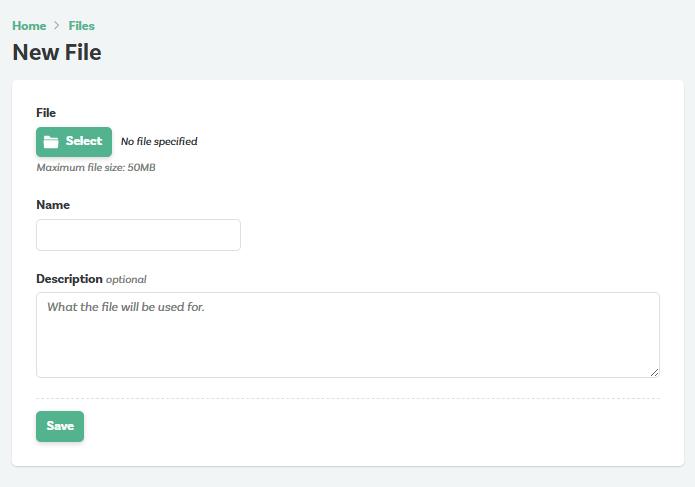
We've now added a description text box in the file uploading process to further clarify file usage and organization.
11.3.25
Printing Workflow Scripts
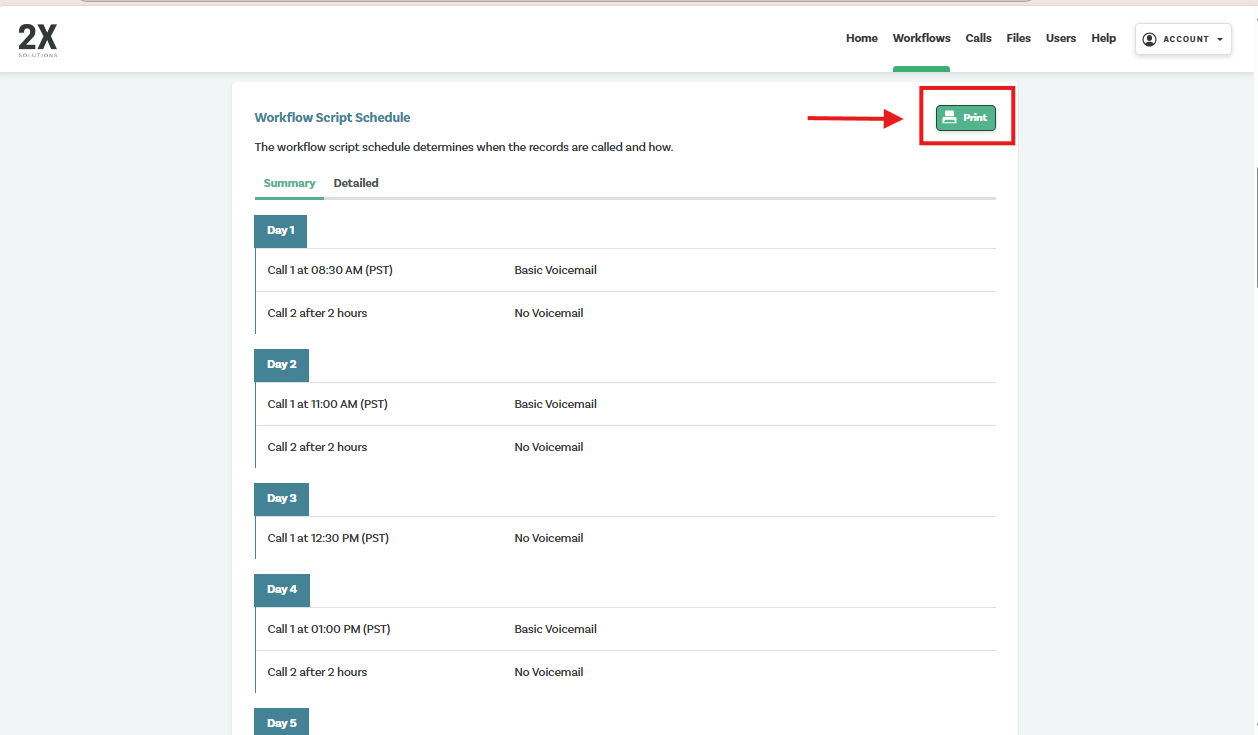
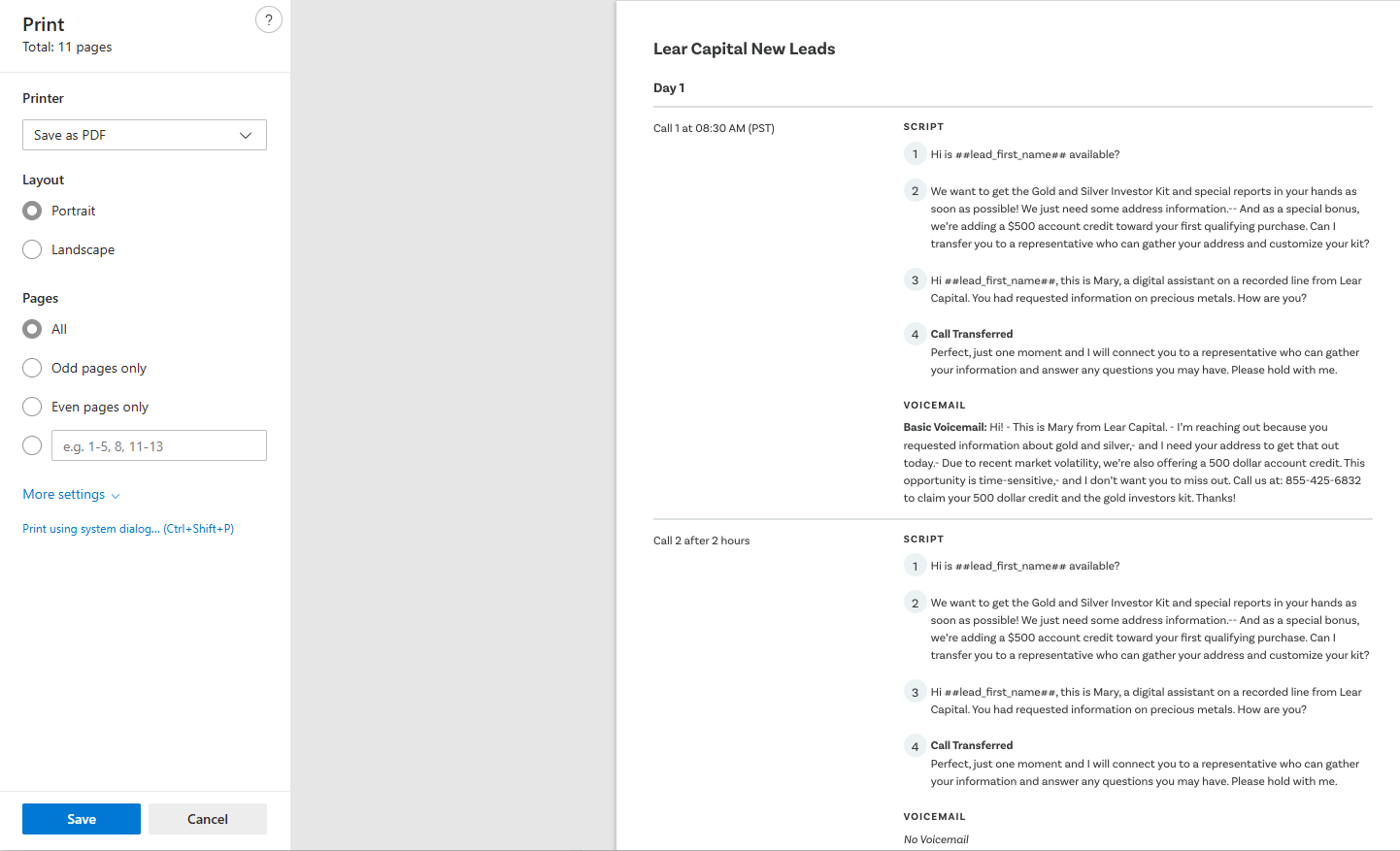
Users are now able to print both the workflow calling schedule and script in one complete document. You may access this feature by selecting the desired workflow and scrolling to the bottom of the page. Select "Print" and a preview of the document will appear.
11/20/25
Play News
Play News is a new enhancement that lets agents seamlessly play an approved audio news clip recording during a call after a lead agrees to hear it. This feature helps build trust and engagement by allowing agents to share relevant news or updates in real time without pausing the conversation or switching tools. Once activated, the audio plays instantly for the lead, and the agent can continue the call smoothly once it ends, ensuring a consistent, streamlined, and more personalized experience.
Split Transfers
You can now add multiple queue line transfer numbers to a single workflow. This feature allows you to distribute leads across different reps and queue lines using a customizable weighting system (out of 10).
This is especially useful for teams where certain sales reps consistently outperform others, enabling you to automatically route a larger share of opportunities to your top performers while still distributing leads across the team.
1/19/26
Pre-Call Text Messaging
Now customers can access our text messaging feature to help enhance pick-up rates across new lead workflows. A pre-call text is a brief text message sent to a lead just before a sales call to set context, build familiarity, and increase the likelihood of connection. For new leads using 2X Solutions, pre-texting has been shown to significantly improve performance, raising baseline connection rates from around 54% to 61–69%, a 7–15% lift.
In practical terms, for teams handling 3,000 leads per month, an average 11% improvement results in 330 additional connections, translating to approximately $49,500 per month in increased efficiency at $150 per lead.
3/17/26
Multi-Factor Authentication Code Upon Login - Now Accepting Emails
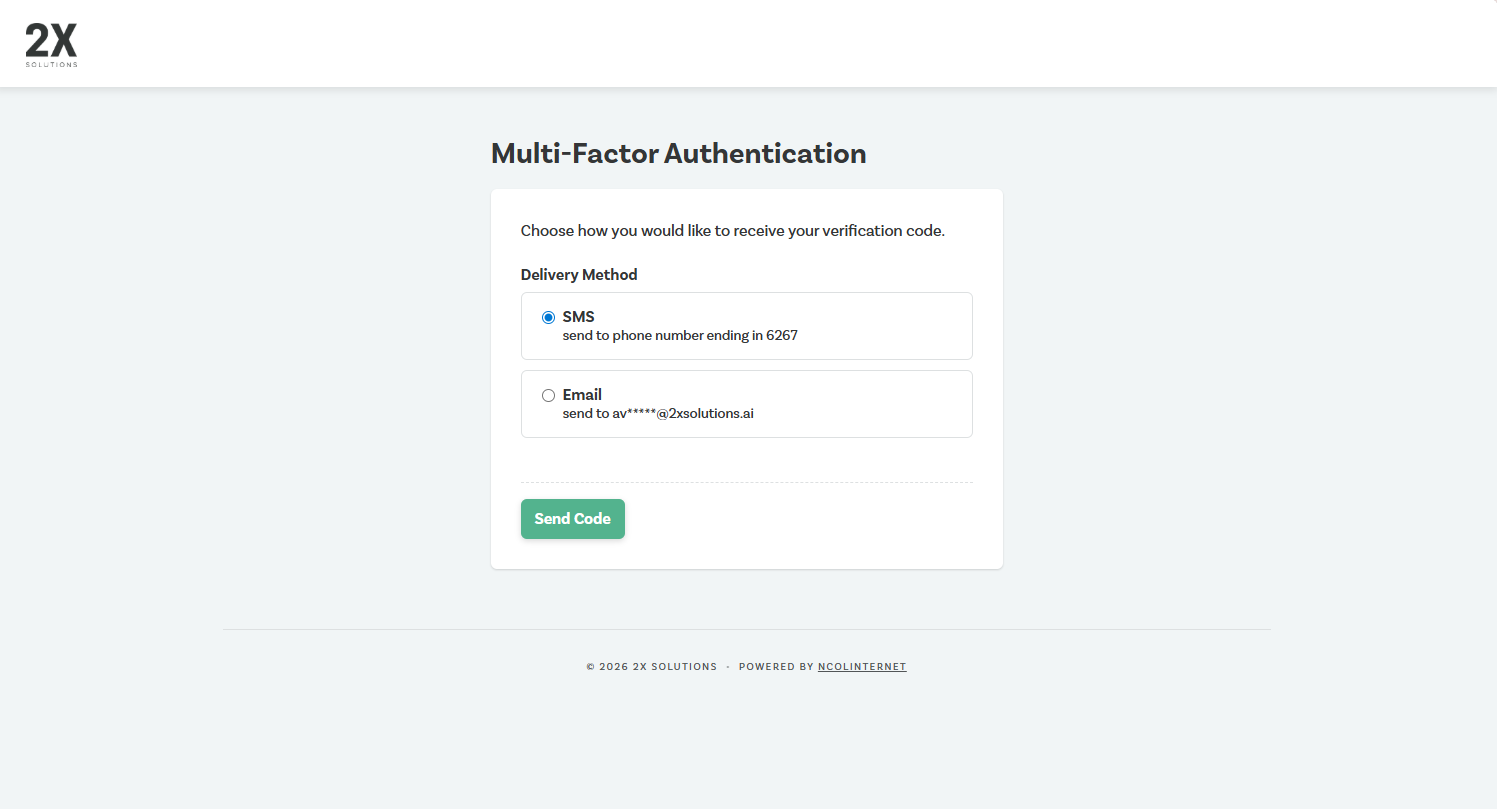
Current 2X Solutions users now have the option to receive the Multi-Factor Authentication Code via SMS or email.
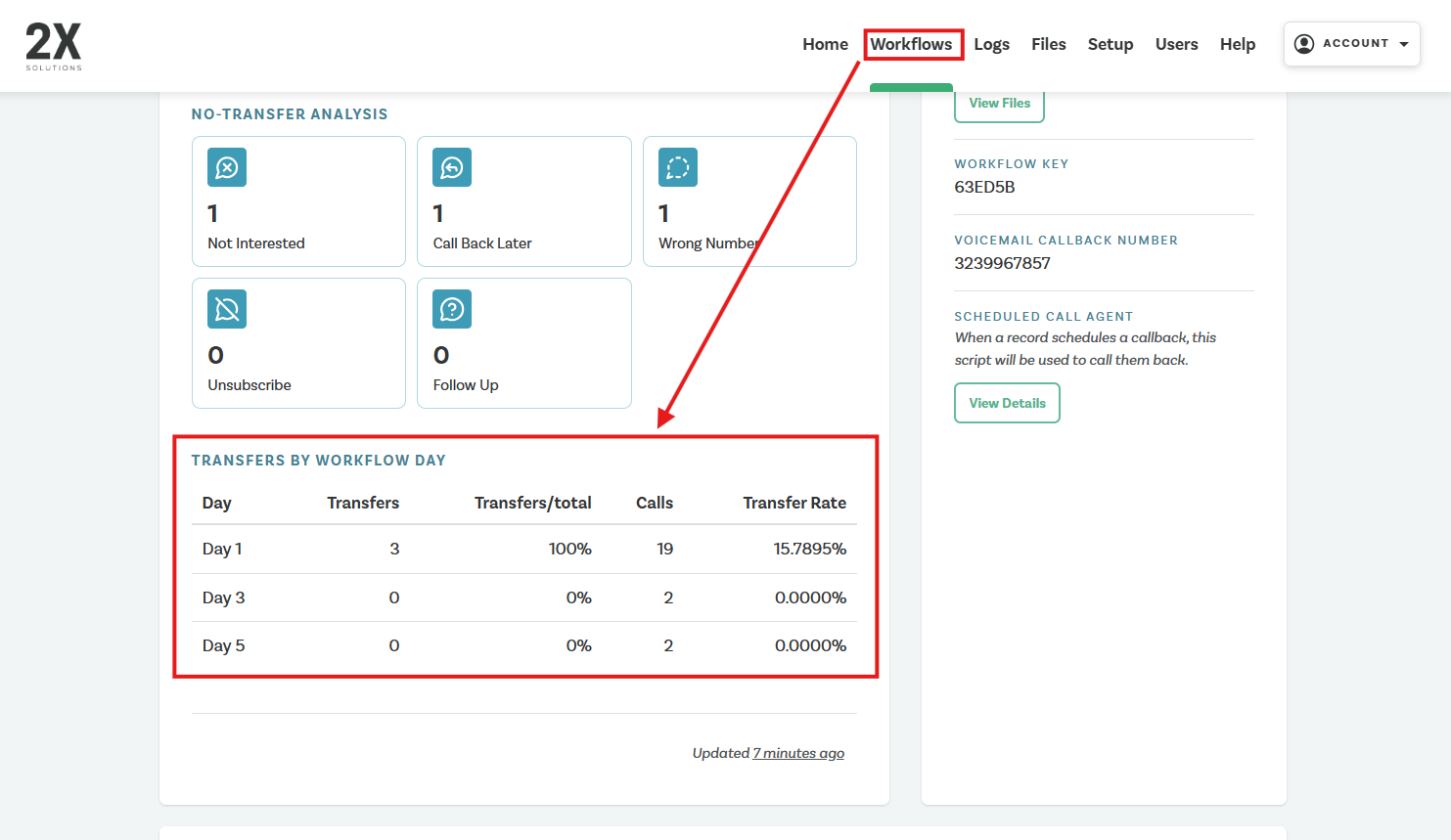
Outbound Transfer Metrics by Workflow Day
The user can now see the outbound transfer rate of each call day at the workflow level. This will help customers understand which call days are most affective and necessary for that given workflow.
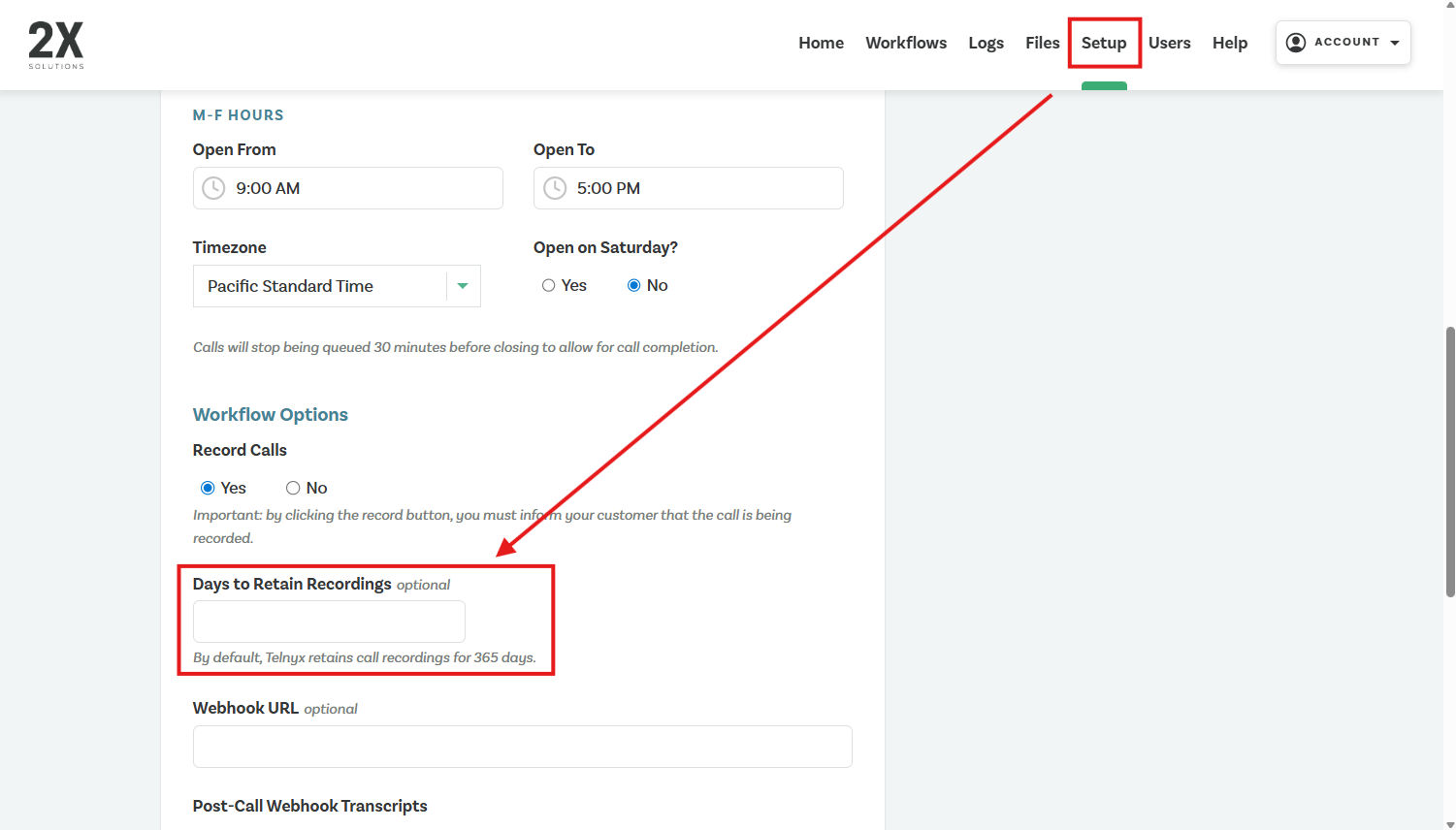
Custom Call Recording Retention Period
Now customers can customize the retention period for call recordings. This can be set by the user at the bottom of the page of the Setup tab.
4/9/26
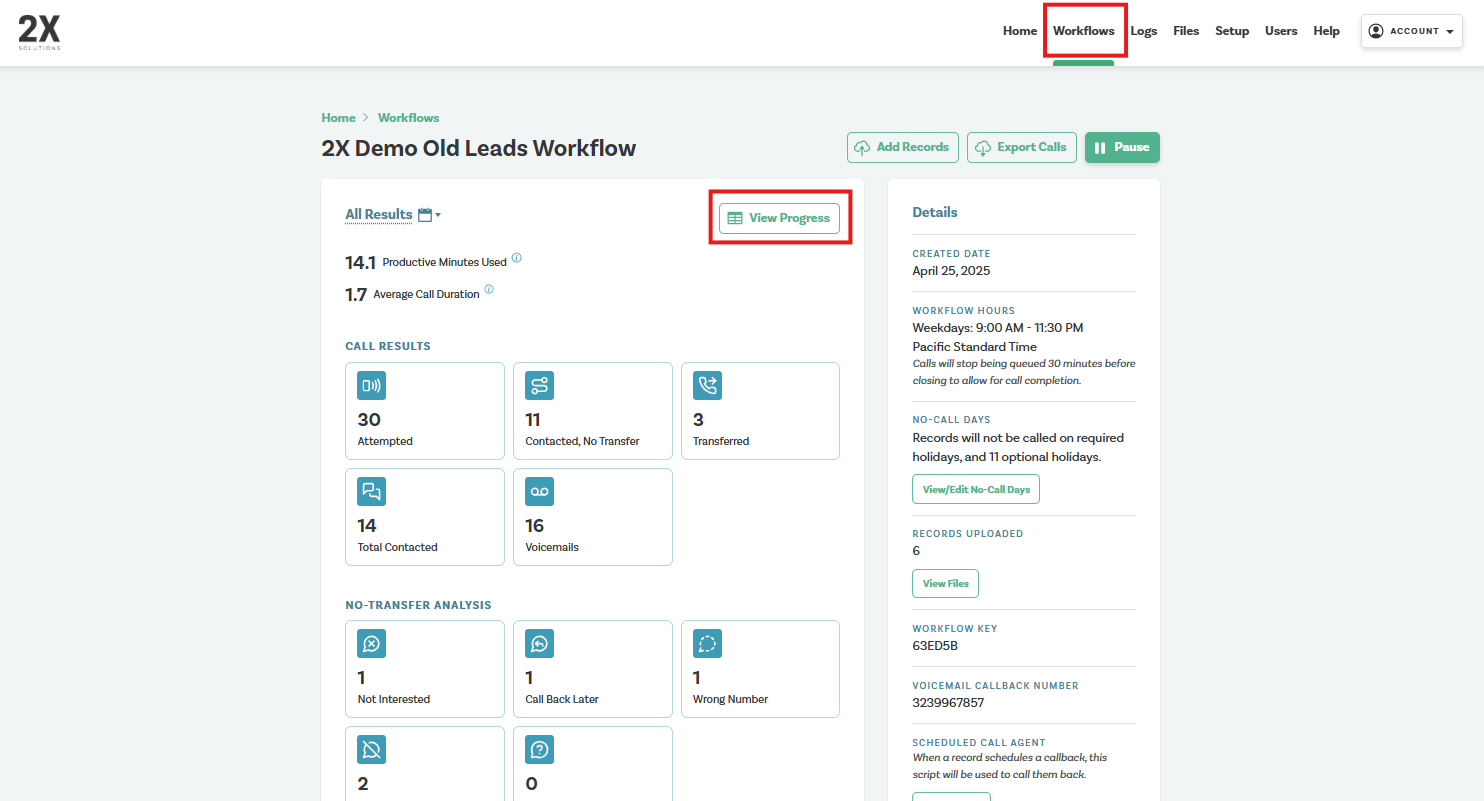
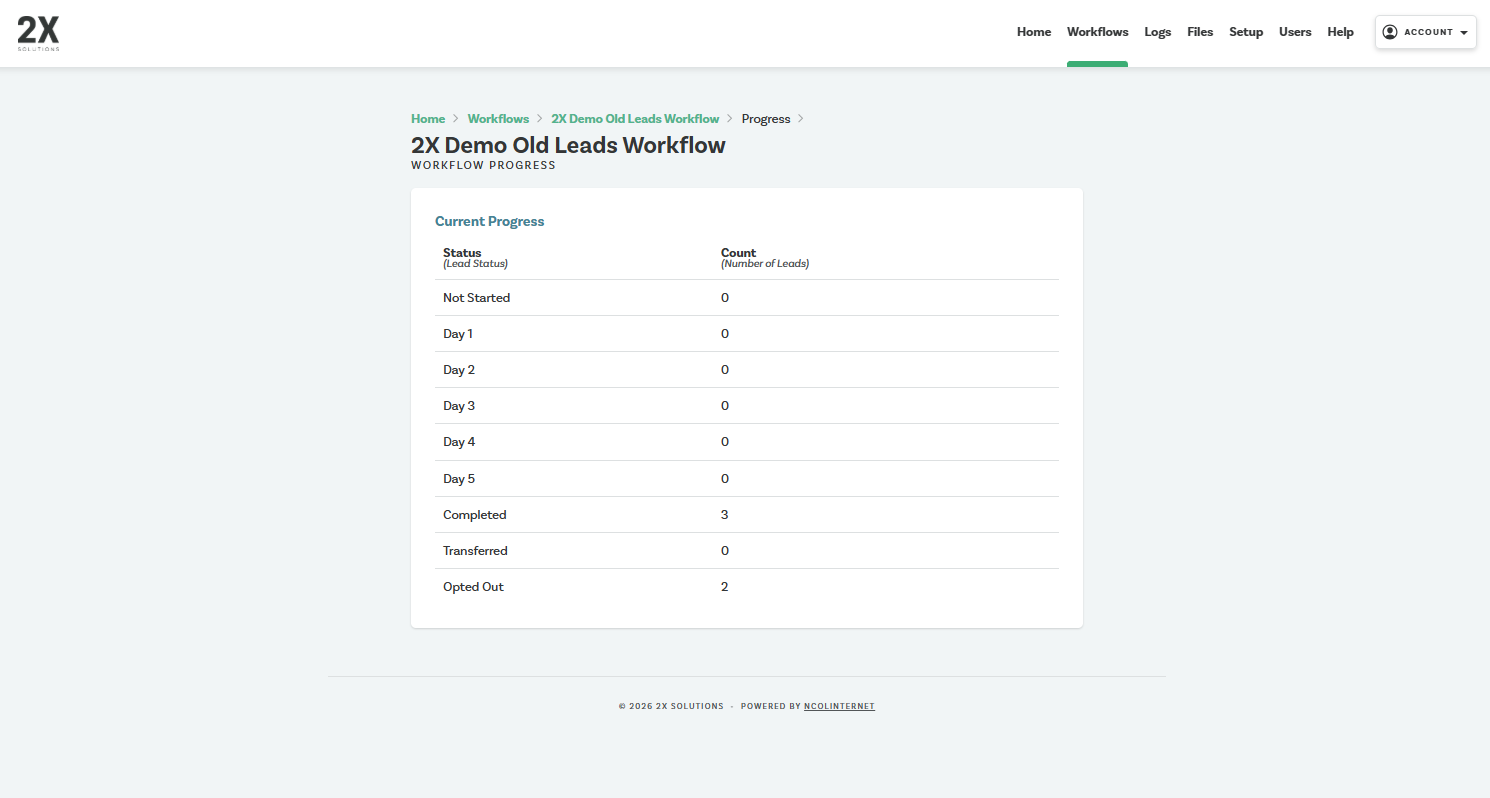
Workflow Progress Report
Users can now track Workflow Progress at the workflow level. This report shows how many records enter the workflow each day and how many complete the full calling schedule.
This view helps teams anticipate when additional leads will be needed to keep workflows running efficiently and should be leveraged on a routine basis.
7/27/26
Dynamic Call Timing
Outbound workflows now use Dynamic Call Timing to automatically schedule calls at the times prospects are most likely to answer.
Instead of using fixed call times, the system intelligently spaces calls throughout the day while respecting your configured office hours, lead time zone restrictions, and compliance rules. Calls are scheduled across different parts of the day (such as morning, afternoon, and evening) to increase the likelihood of connecting with each lead.
Additional improvements include:
- Multiple calls in a single day are spaced appropriately to avoid back-to-back attempts.
- If there isn't enough time remaining in the day for another call, the system automatically continues with the next scheduled workflow day.
- Fixed call time and interval settings have been removed, as call timing is now optimized automatically.
This enhancement helps maximize contact rates without requiring any manual scheduling configuration.
9/22/26
Whisper Transfer
What is it?
Whisper Transfer is a new 2X solutions feature that creates a smoother handoff from the AI agent to a live representative. When the AI reaches the transfer point, the live representative is connected to the call on mute first, allowing them to briefly listen to a message with the customer’s name or other information to better understand the context before speaking.
How does it work?
Once the AI confirms the name of the lead during the call, 2X will transfer the call to the queue line and a representative’s phone will ring. When the representative picks up the phone they will hear a message, "Press 1 to connect to PERSONS NAME." The representative can join the call at any moment by pressing 1. At the point that the representative presses 1, the AI will announce that a live representative is joining the call, and the representative can take over the call. This helps eliminate any disconnects on transfers and creates a more seamless experience for the representative and the customer.
Whisper Transfer Flow: Rep receives a call from 2X → Rep can hear the AI and the customer speaking → AI announces to the Rep “Press 1 to connect to NAME OF PERSON → Call is unmuted and AI lets tells the customer that a rep from your company is taking over the call → Rep begins speaking to the customer.
Whisper Transfer Script
Press 1 When You're Ready
When you are ready to take over the conversation, press 1. Pressing 1 will trigger the AI to tell the lead:
“Hey, I have a live representative that can join the call now.”
Continue the Conversation
Once you're live, acknowledge the conversation with the AI and move to your next step.
Recommended opening:
“Hi [First Name], thanks for talking with our digital assistant (AI NAME). I know you requested some information on [company offer]. Can you give me just a moment while I pull up your information so I can get this package to you?”
9/23/26
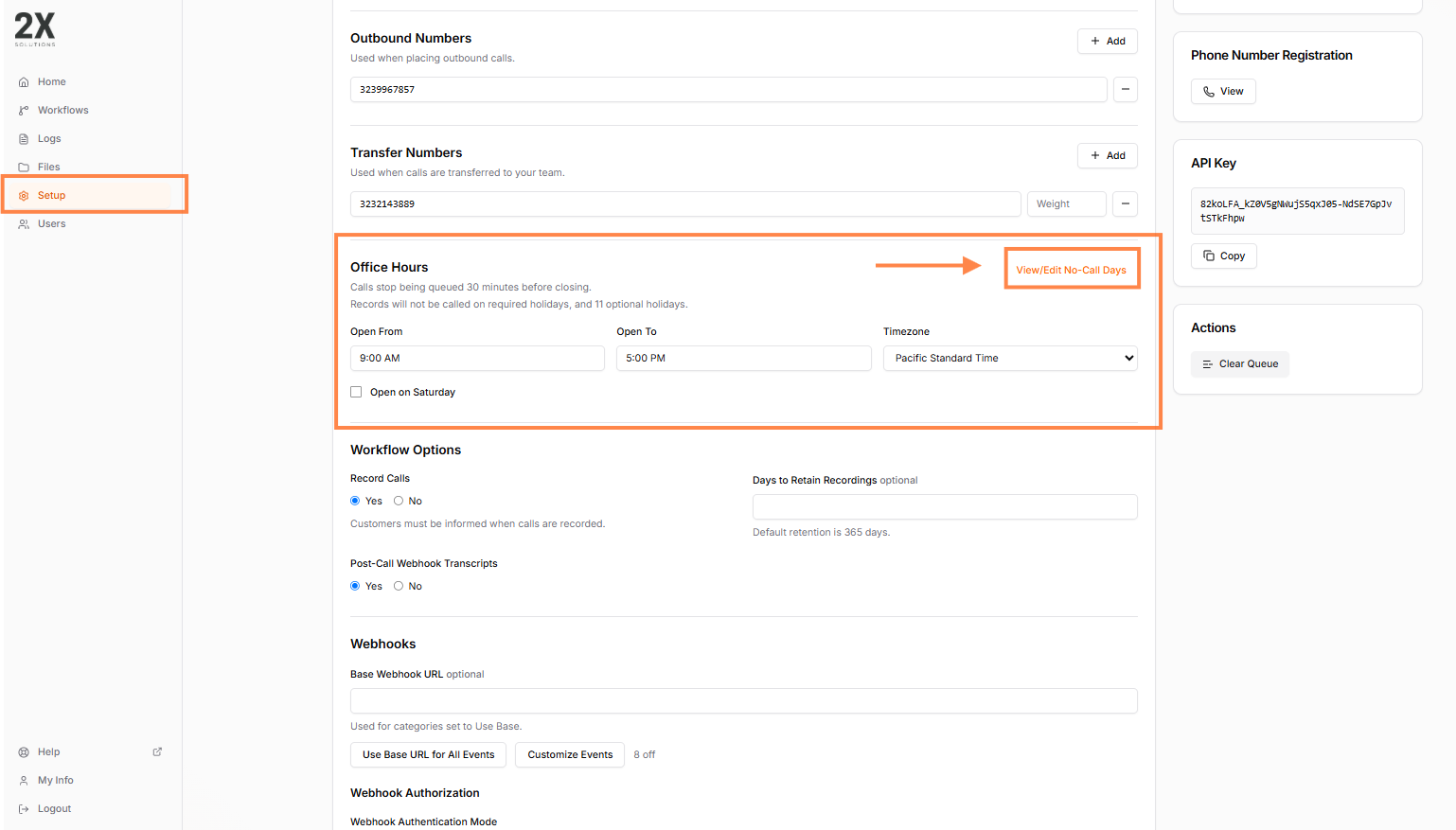
Holiday No-Call Days moved to Company Level
The user can now set company no-call days all at once at the company level. Please reference the below screenshot for details on how to update these call settings.
How did we do?